JHA Rapid

AI-powered Job Hazard Analysis generation aligned with OSHA templates. Create professional JHAs in minutes with intelligent hazard identification, control recommendations, and digital signature capture.

AI-Powered • OSHA-Aligned • Field-Ready

Explore Features Get Support
Download JHA Rapid: Job Hazard Analysis on the App Store
JHA Rapid App Icon

Professional Features

🤖

AI-Powered Generation

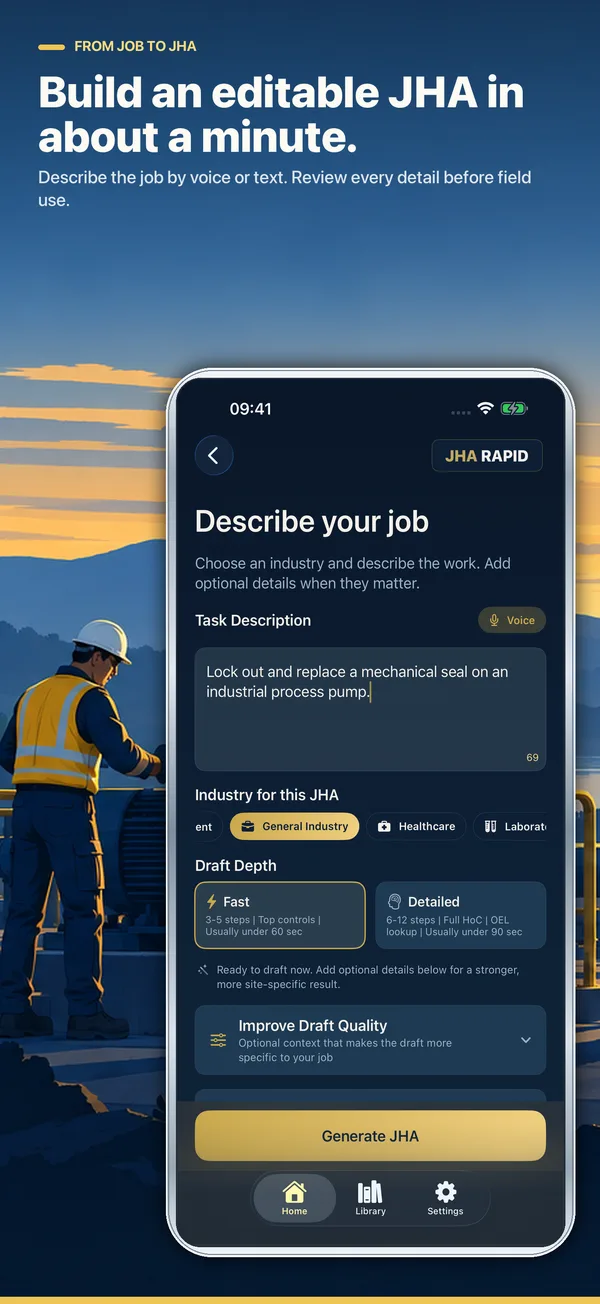
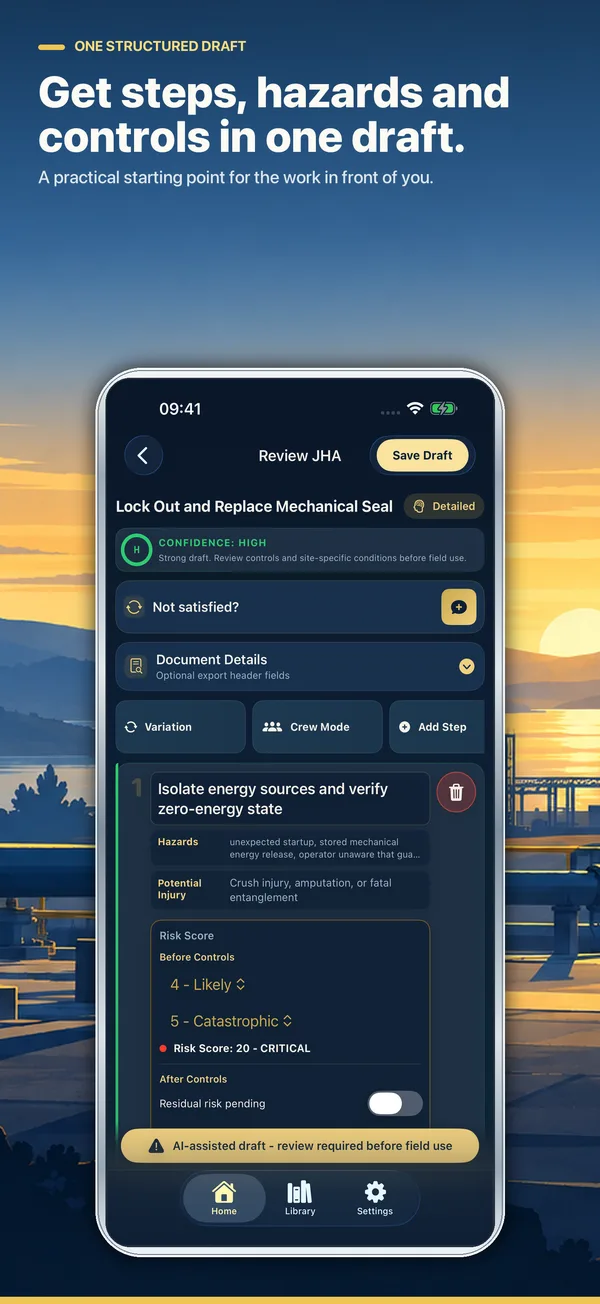
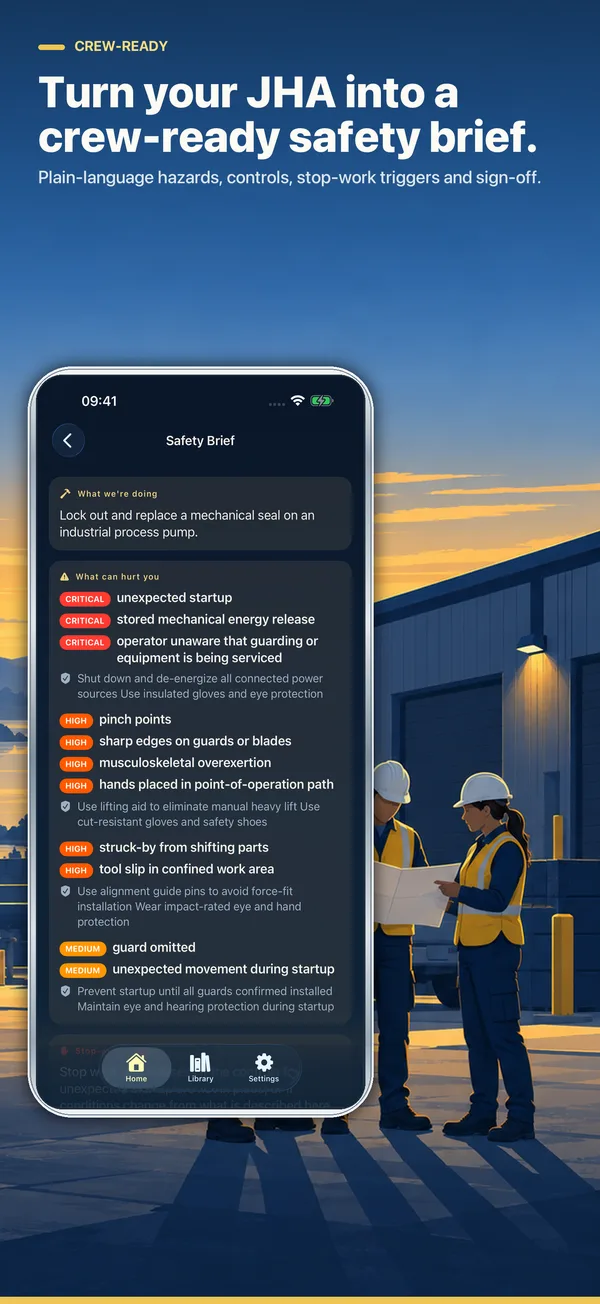
Describe the task, choose your industry, and get a structured draft in seconds: job steps, hazards, potential injuries, recommended controls, and documented risk ratings. A hosted backend does the drafting, with on-device Apple Intelligence and a local engine as fallbacks when the network isn’t there.

📋

OSHA Template Alignment

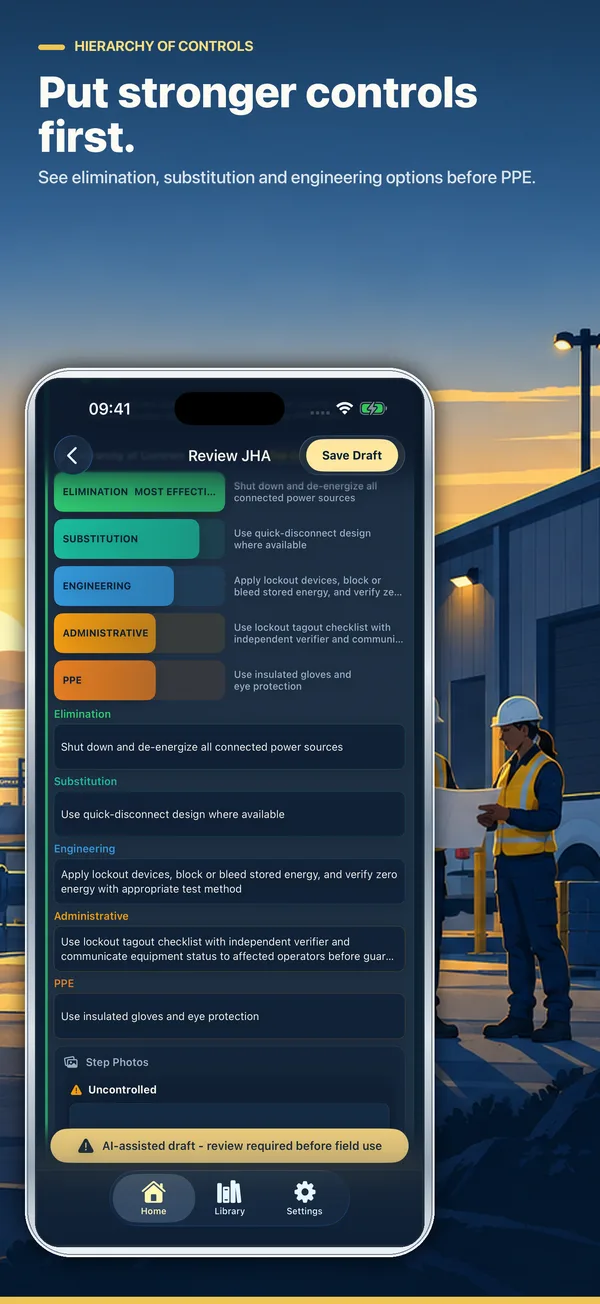
Generated JHAs follow OSHA’s recommended format and structure for audit readiness, and recommend controls in the correct order — Elimination, Substitution, Engineering, Administrative, then PPE.

Risk Ratings You Can Defend

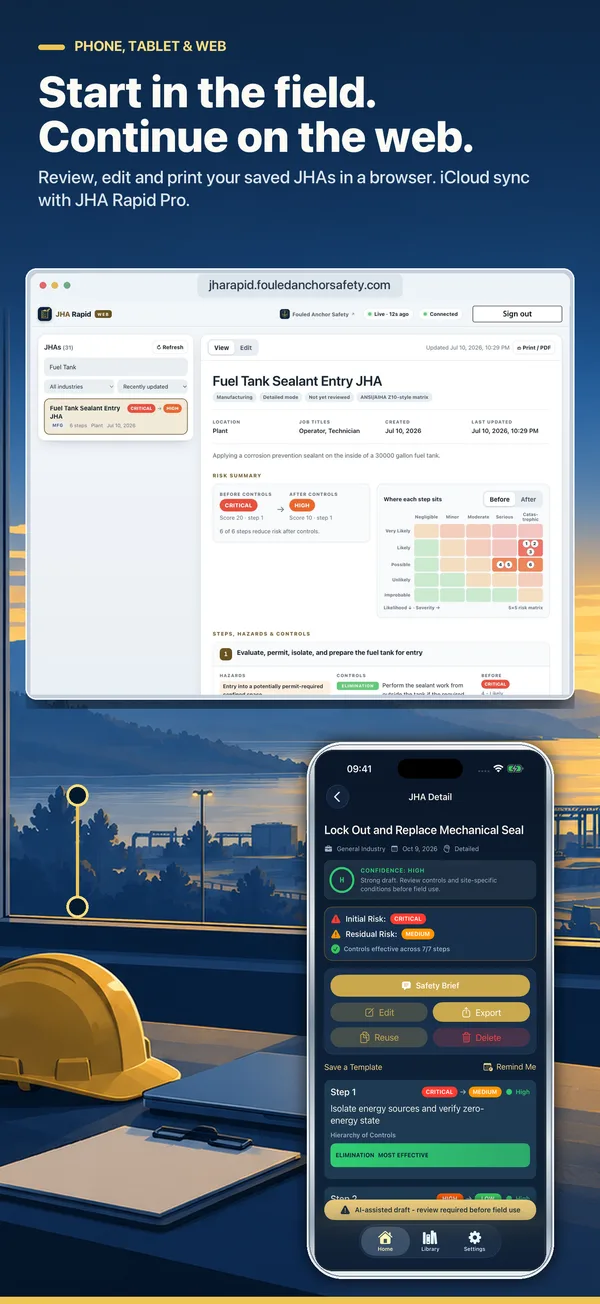
Civilian industries use an ANSI/AIHA Z10-aligned Probability × Severity matrix. Military users automatically get MIL-STD-882E Table III assessments. Every job step carries both a pre-control and a post-control rating, so the reduction is documented rather than asserted.

Offline OEL Library

A built-in occupational exposure limit library covering 29+ countries and regulatory authorities — OSHA, NIOSH, ACGIH, state agencies, and international references. Stored on your device, with no additional subscription.

✍️

Digital Signatures

Capture signatures from workers, supervisors, and safety personnel directly on-device for complete documentation.

☁️

CloudKit Sync

Seamless synchronization across all your Apple devices. Create in the field, review in the office.

📤

Export & Share

Generate professional PDF reports ready for printing, email, or integration with existing safety management systems.

📚

Template Library

Tuned for construction, manufacturing, healthcare, utilities, transportation, laboratories, maritime operations, agriculture, oil and gas, general industry, and military environments — with example JHAs to start from.

Who Uses JHA Rapid

For the people who have to produce the JHA before work starts

Construction Supervisors

Foremen and superintendents writing a task-specific JHA at the trailer before a crew mobilizes, with signatures captured on the spot.

Safety Managers

EHS staff standardizing hazard analysis across crews so every JHA follows the same OSHA-aligned structure regardless of who wrote it.

Manufacturing & Maintenance Teams

Planners covering non-routine maintenance, lockout/tagout, and line changeovers where the hazards shift with each job.

Contractors & Subcontractors

Trades who must submit a JHA to satisfy a general contractor's or client's pre-work requirements, in a format that reads professionally.

Utilities & Field Services

Crews doing dispersed work who need to generate and sign documentation in the field and sync it back to the office.

Small Safety Departments

One- and two-person safety teams supporting many crews, where drafting every JHA by hand is the bottleneck.

Common Questions

What people ask before downloading

Does the AI write my JHA for me?

It writes a draft. You describe the job steps, and the AI proposes hazards and controls in an OSHA-aligned structure — turning a blank page into something to react to. Every JHA still requires review and approval by a qualified safety professional who knows the site. The AI does not know your conditions, your crew, or your equipment.

Which AI does it use?

A hosted backend handles generation, with on-device Apple Intelligence and a local engine as fallbacks when the network isn’t available. That layering means a bad signal at a job site degrades quality rather than blocking you entirely. Job step descriptions are sent for processing; no personally identifiable information is included.

Is the output OSHA-compliant?

Generated JHAs follow OSHA’s recommended format and apply the hierarchy of controls in order — Elimination, Substitution, Engineering, Administrative, PPE. Risk is rated twice per step, pre-control and post-control, using an ANSI/AIHA Z10-aligned matrix, or MIL-STD-882E Table III for military users. Compliance still depends on the content being right for your site, which is your review.

How do signatures work?

Workers, supervisors, and safety personnel sign directly on the device. Signatures are captured into the document, so the completed JHA carries its own proof of acknowledgment when you export it.

Can I reuse work across similar jobs?

Yes. Example JHAs for common tasks across construction, manufacturing, and general industry load as starting points, and your own completed JHAs sync via CloudKit so a similar job doesn't start from nothing.

What does it cost to try?

Five complete AI-generated Job Hazard Analyses, free — not a time-limited trial, five full professional generations to evaluate the app on real work. The offline OEL library covering 29+ countries is included with no additional subscription.

What formats can I export?

Professional PDF reports for printing, email, or handoff into an existing safety management system.

Screenshots

See it in action on iPhone