Jokesmith
The comedy set builder and joke writing app for stand-up comedians. Write bits, build tighter sets, record your performances and learn what landed.
Write • Build sets • Record • Review


Professional Features
Everything you need to level up your comedy game
Joke Library
Organize your material with tags, categories, and performance history. Track which jokes are killing and which need work.
Set Builder
Build and arrange setlists with drag-and-drop. Calculate timing and see predicted performance based on venue type.
Live Recording
Records your set, transcribes it, and detects audience laughter in real time — distinguishing light chuckles from roaring laughs. Every reaction is matched to your transcript, so you can see exactly what you said when the room responded.
Analytics Dashboard
Laughs per minute, dead-air detection, joke-by-joke results, and audience intensity across the set. Compare two performances side by side to see whether a rewrite actually improved the bit.
StageIntel Predictions
Venue-aware predictions score how your material is likely to land in a given room, so you can spot risky bits before you go up. Requires Jokesmith Pro.
Punch-Up Notes
Optional AI-assisted punch-up on any joke: a quick room read, what’s already working, and a few directions to try. It runs only when you ask for it, on that one joke — designed to support your voice, not replace it.
Venue Directory
A built-in directory of 100+ comedy venues across the United States, with capacity and booking details, so finding the next room isn’t a separate research project.
PDF Transcript Export
Export performance transcripts as polished PDF reports with color-coded laugh overlays — readable proof of what landed, for your own review or a booker.
CloudKit Sync
Keep your material in step across iPhone, iPad, and Mac. iCloud sync requires an active subscription or lifetime access.
How long is your set, really?
Jokesmith's Set Builder times a set the same way this clock does: every word of setup and punchline counts 0.4 seconds, and the bits add up. Paste your bits here, one per paragraph, and see where you land against the slot you've got.
Nothing you type leaves this page. It's kept in this browser so it's here when you come back.
Tap a bit's chip to set its temper: Raw Iron, Working, Stageable, Masterwork, the same four marks Jokesmith's Library files your jokes under. The estimate leaves out pauses, tags and laughs. Record the set in Jokesmith to get the real clock.
App Modules
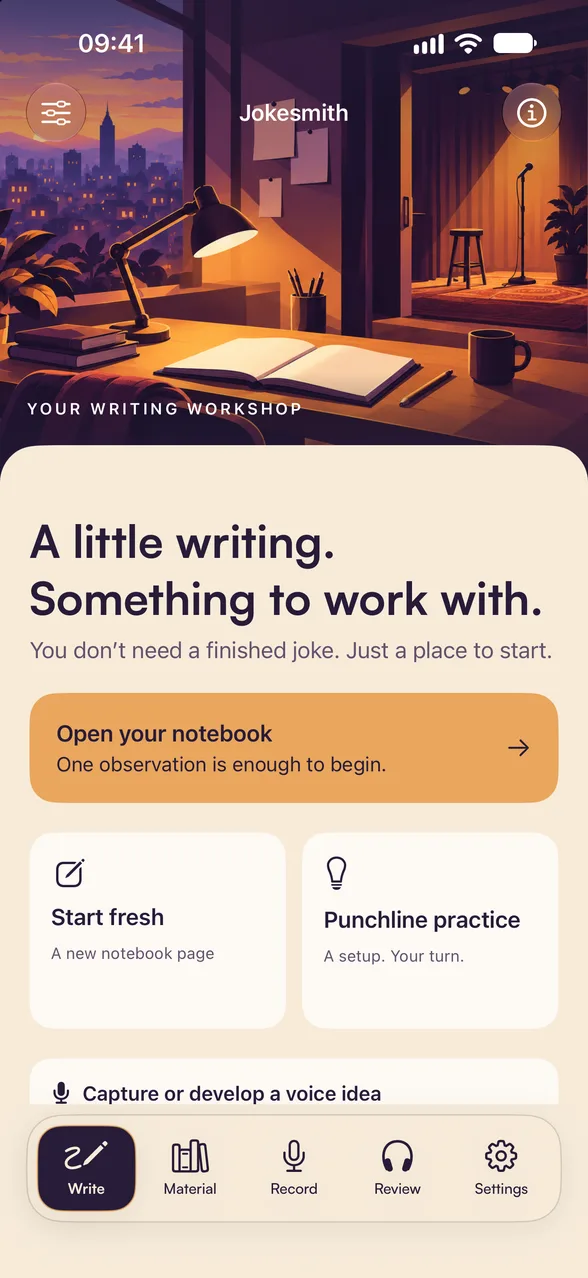
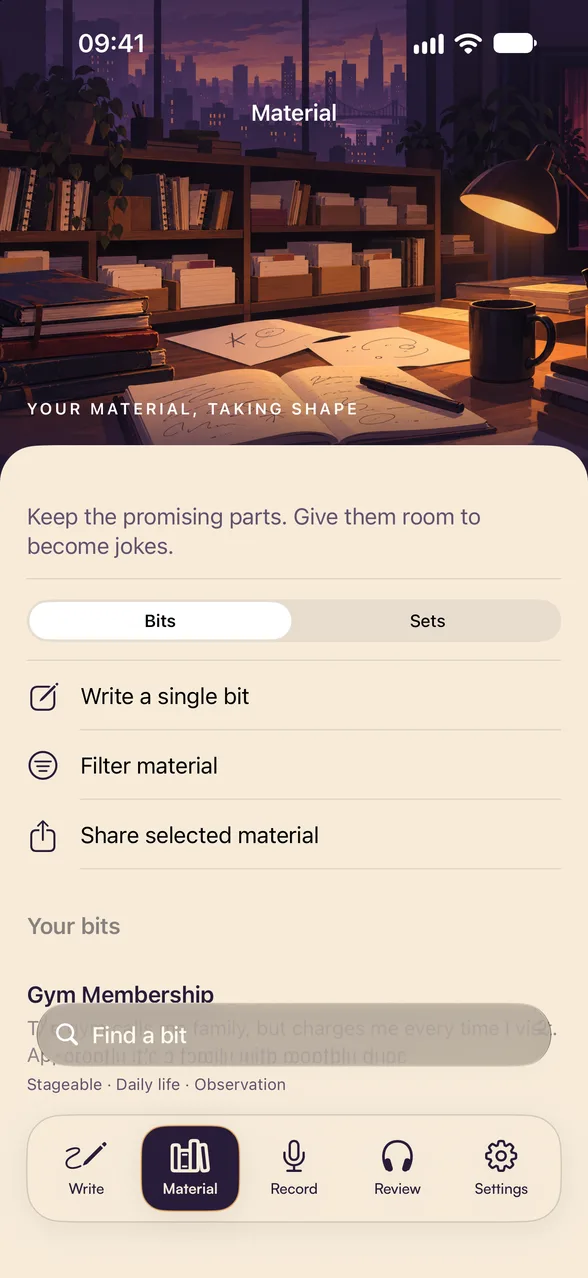
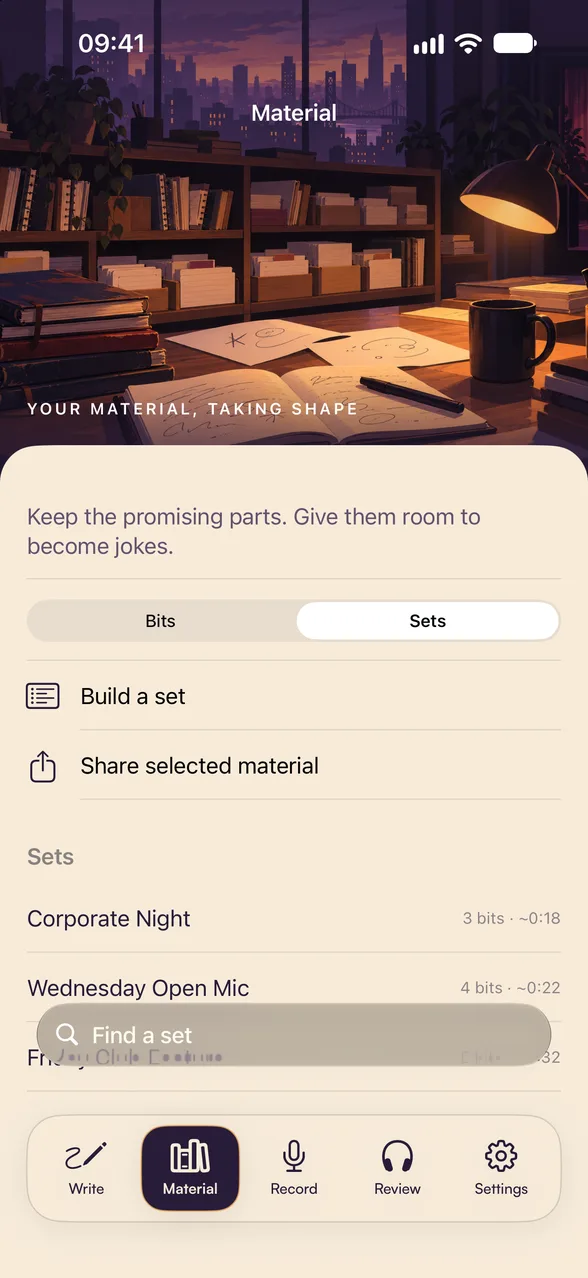
Five tabs, one writing workshop
A notebook to start from: a fresh page, punchline practice or a voice idea
Your bits and sets, with search, filters and temper marks
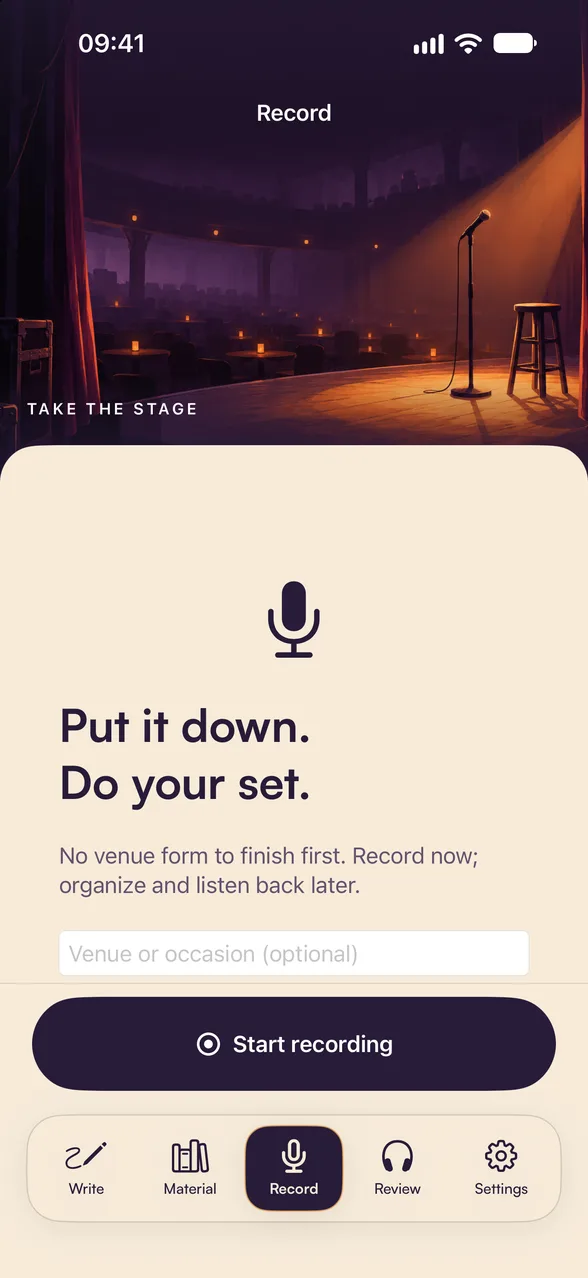
One tap to record a set; organize and listen back later
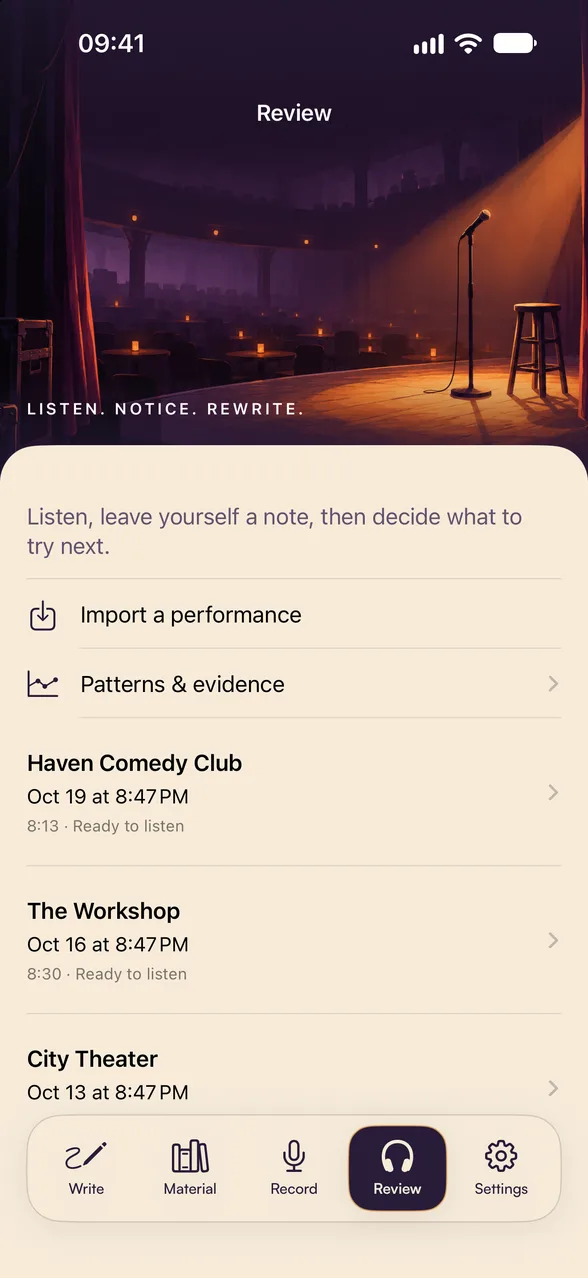
Listen back, leave yourself notes and look for patterns across shows
Writing reminders, storage, backups and your account
Who Uses Jokesmith
For comics who want evidence, not just a feeling about how it went
Open Micers
Comedians running the same five minutes across many rooms who want to know which bits actually land versus which ones only feel like they do.
Working Club Comics
Performers building a tight twenty who need timing data and joke-level history rather than a vague memory of the set.
Feature & Headline Acts
Comics managing multiple sets for different room types, tracking which material travels and which is venue-specific.
Writers & Joke Crafters
Anyone moving material from raw premise to stage-ready who wants version history and a record of what changed.
Comedy Students
Bootcamp and class participants building their first set with a structured library instead of a notes app.
Corporate & Clean Comics
Performers who must know precisely how a bit reads in a corporate room before they take it there.
Jokesmith for Web
Write at a real keyboard. Jokesmith for Web is a companion to the app, included with Pro: your joke library and sets in any browser, synced with Jokesmith on your iPhone through iCloud.
Write and edit
Draft new jokes and rework titles, setups, punchlines and notes with a full keyboard.
Build sets by hand
Pick jokes, drag them into order and watch the running time add up.
Synced both ways
Changes show up in the app, and the app’s changes show up here.
Requires Jokesmith Pro with iCloud sync on. Start in the app: the web works with the library Jokesmith has synced. AI features, including Punch-Up Notes and Build My Set, stay in the app. Sign in with the Apple Account your iPhone uses for iCloud. Your records go straight between your browser and your private iCloud; nothing is stored on our servers.
Common Questions
What people ask before downloading
How does laugh detection actually work?
Jokesmith uses Apple's SoundAnalysis framework to identify audience laughter in your recording, entirely on your device. Laugh analysis runs on your phone; audio is not sent to our AI proxy or OpenAI. Optional personal iCloud Drive storage is controlled in the app. You can tune the sensitivity, since a 40-seat basement and a 400-seat theatre don't sound alike.
Is it accurate?
It's a measurement, not a verdict. Detection gives you a consistent signal to compare sets against each other — the same bit across ten rooms — which is far more useful than trying to remember. Treat it as an instrument reading, not a judgment of whether a joke is good.
What is StageIntel?
Venue-aware prediction. It looks at how each joke has performed across venue types — clubs, bars, colleges, corporate, open mics — finds patterns, and estimates how material is likely to land in a room you haven't played yet. It needs performance history to say anything useful, and it tells you when confidence is low. StageIntel requires Jokesmith Pro.
Does Punch-Up Notes send my jokes anywhere?
Only when you ask it to, and only the joke you selected — its title, setup, punchline, and your notes go to OpenAI through our proxy to generate the feedback. Unselected library material, recordings, and performance data are not sent to AI. Build My Set also sends selected joke IDs and text plus your chosen constraints when you tap Generate. The proxy does not log submitted joke text. Generated results, which may quote material, are cached for up to 48 hours to recover retries; hashed request identifiers and content fingerprints prevent duplicate allowance charges. Laugh detection and StageIntel stay entirely on your device.
Do I need to pay?
Jokesmith is free to download and free to use for writing, organizing, and recording. Pro unlocks The Ledger's deeper analytics — comparisons, joke-by-joke breakdowns — along with StageIntel and iCloud sync.
Is my material private?
Yes. Jokes, sets, and recordings stay on your device or in your own private iCloud, and recordings are never uploaded for AI processing — laugh detection runs locally through Apple’s SoundAnalysis framework, and StageIntel is computed on-device from your own history. When you tap Generate, Punch-Up Notes sends one selected joke’s title, setup, punchline, and notes. Build My Set sends selected joke IDs and text plus your set constraints to OpenAI through our proxy. Other library material and recordings are not sent. Nothing is sold, shared for advertising, or used to track you.
Can I get my material out?
Yes. Export is built in, so your library isn't hostage to the app. Recordings remain accessible on your device regardless of subscription state.
Can I use Jokesmith on a computer?
Yes, with Pro. Go to jokesmith.fouledanchorsafety.com and sign in with the Apple Account you use for iCloud to write and edit jokes and build sets in your browser. Changes sync with the app through your own iCloud. AI features, including Punch-Up Notes and Build My Set, stay in the app.
Screenshots
See it in action on iPhone
Armed Services Arts Partnership
ASAP provides free arts programs for veterans, service members, and their families. It’s where Punchline Foundry began: founder Nicholas Schnaufer discovered stand-up at an ASAP comedy bootcamp.
Learn how your support can help more people access the arts.